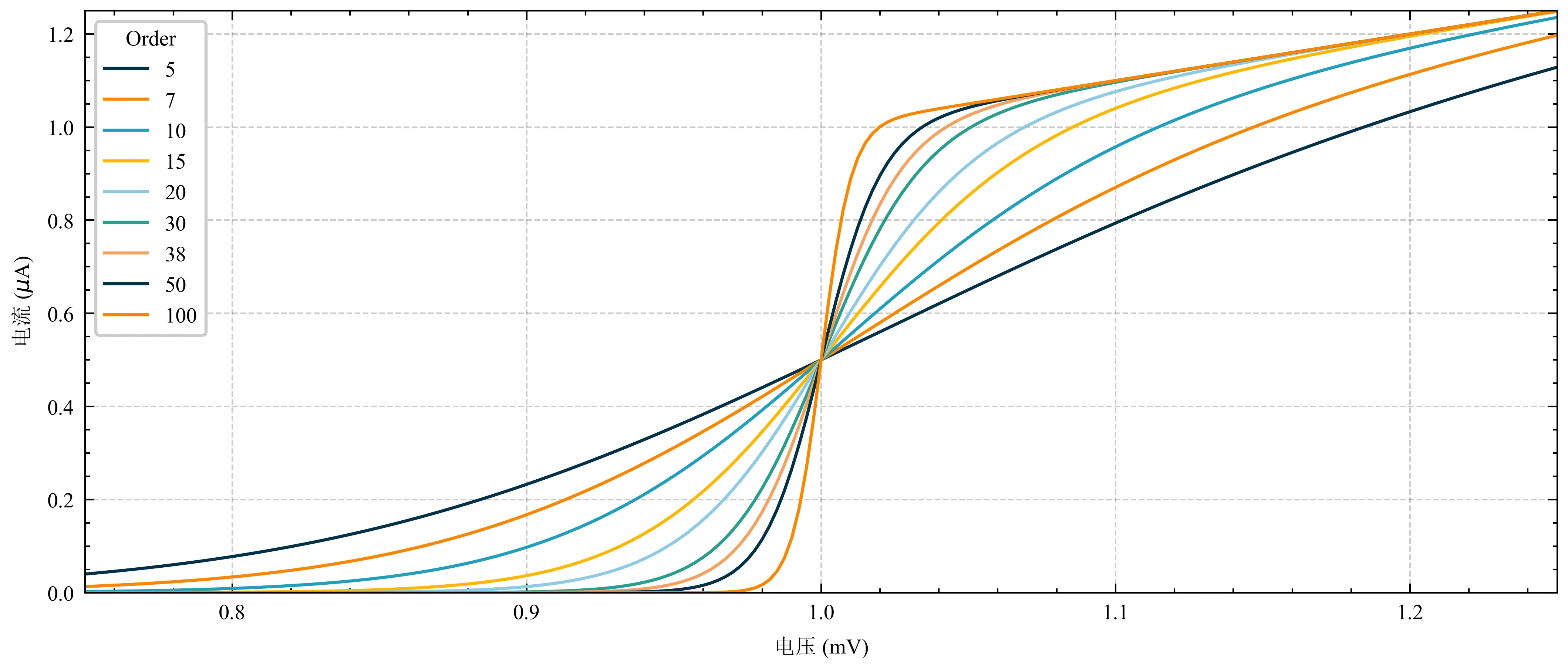
前不久介绍了一种在毕业论文中使用Matplotlib绘图设置中文宋体、英文新罗马的方法,需要安装LaTex软件,还需要在自用样式中做复杂的修改,总体来讲偏复杂。
壹丨Matplotlib无法同时使用两种字体
不再赘述。
贰丨合并两种字体
第一步,下载并解压字体合并工具,本文直接放在桌面:C:\Users\MasterMao\Desktop\font_merge
第二步,复制字体到字体合并工具文件夹下。系统字体位于:C:\Windows\Fonts,搜索宋体、times就可找到对应字体,分别复制到:C:\Users\MasterMao\Desktop\font_merge
第三步,新建合并脚本:C:\Users\MasterMao\Desktop\font_merge\merge.bat。此处将合并后的新字体命名为sun-times.ttf
Note:以下路径不可出现中文
1
2
3
4
5
6
7
8
9
10
| %~d0
cd "%~dp0"
.\otfccdump.exe --ignore-hints -o base.otd "C:\Users\MasterMao\Desktop\font_merge\simsun.ttc"
.\otfccdump.exe --ignore-hints -o ext.otd "C:\Users\MasterMao\Desktop\font_merge\times.ttf"
.\merge-otd.exe base.otd ext.otd
.\otfccbuild.exe -q -O3 -o sun-times.ttf base.otd
del base.otd ext.otd
pause
|
第四步,运行merge.bat。安装新字体sum-times.ttf
叁丨新建绘图样式
删除C:\Users\MasterMao\.matplotlib\fontlist-v330.json
新建绘图样式C:\Users\MasterMao\.matplotlib\stylelib\mastermao-sun_times.mplstyle
1
2
3
4
5
6
7
8
9
10
11
12
13
14
15
16
17
18
19
20
21
22
23
24
25
26
27
28
29
30
31
32
33
34
35
36
37
38
39
40
41
42
43
44
45
46
47
48
49
50
51
52
53
54
55
56
57
58
59
60
61
62
63
64
65
66
67
|
figure.figsize : 3.5, 2.625
figure.dpi : 600
xtick.direction : in
xtick.major.size : 3
xtick.major.width : 0.5
xtick.minor.size : 1.5
xtick.minor.width : 0.5
xtick.minor.visible : True
xtick.top : True
xtick.labelsize : medium
ytick.direction : in
ytick.major.size : 3
ytick.major.width : 0.5
ytick.minor.size : 1.5
ytick.minor.width : 0.5
ytick.minor.visible : True
ytick.right : True
ytick.labelsize : medium
axes.unicode_minus : False
axes.linewidth : 0.5
grid.linewidth : 0.5
lines.linewidth : 1.
lines.markersize : 4.0
axes.prop_cycle : (cycler('color', ['k', 'r', 'b', 'g']) + cycler('ls', ['-', '--', ':', '-.']))
savefig.bbox : tight
savefig.format : webp
savefig.dpi : 600
savefig.pad_inches : 0.05
axes.grid : True
axes.axisbelow : True
grid.linestyle : --
grid.color : k
grid.alpha : 0.2
legend.frameon : True
legend.framealpha : 1.0
legend.fancybox : True
legend.numpoints : 1
axes.labelsize : 7
legend.fontsize : 7
font.size : 7
font.serif : Times New Roman + SimSun
font.family : serif
text.usetex : False
|
肆丨绘图查看效果
1
2
3
4
5
6
7
8
9
10
11
12
13
14
15
16
17
18
19
20
21
22
| import matplotlib.pyplot as plt
import numpy as np
plt.style.use('mastermao-sun_times')
def model(x, p):
return x ** (2 * p + 1) / (1 + x ** (2 * p))
if __name__ == '__main__':
x = np.linspace(0.75, 1.25, 201)
fig, ax = plt.subplots()
for p in [5, 7, 10, 15, 20, 30, 38, 50, 100]:
ax.plot(x, model(x, p), label=p)
ax.legend(title='Order', fontsize=7)
ax.set(xlabel=r'电压 (mV)')
ax.set(ylabel=r'电流 ($\mu$A)')
ax.autoscale(tight=True)
fig.savefig('./fig.webp')
|
![]()
参考
[1] 知乎,@木土木,完美解决Python的matplotlib库中英文字体混显问题
[2] MasterMao’s Blog,@一一风和橘,毕业论文Matplotlib绘图中英文设置(一)