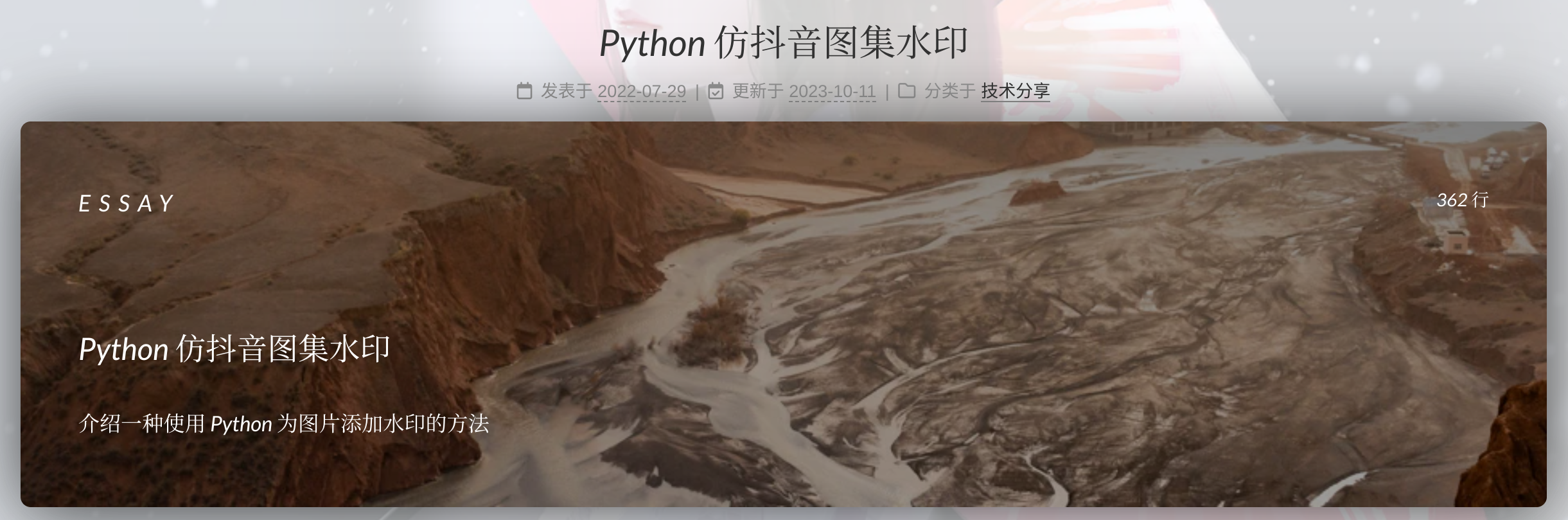
壹丨CSS方法(成功) 第一步,修改Nunjucks模板
位于:themes/next/layout/_macro/post.njk
锁定展示框的位置,应该放在<header>之后,{{theme.read_more_btn}}之前:
1
2
3
4
5
{#################} {### POST BODY ###} {#################} <div class ="post-body{% if post.direction and post.direction.toLowerCase() === 'rtl' %} rtl{% endif %}" itemprop ="articleBody" > ...
添加:
1
2
3
4
5
6
7
8
9
10
11
12
13
14
{% set randomClass = 'random-bg-' + range(1, 55) | random %} <myheader class ="{{randomClass}}" > <my_black_layer > <div class ="upper-myheader" > <div class ="mini-title" > {{post.article_type}}</div > <div class ="date-since" > <img src ="/lib/svg/cloc.svg" > <p > <span class ="date-value" id ="sinceData" > {{post.lines}} 行</span > </p > </div > </div > <div class ="lower-myheader" > <div class ="title" > {{post.title}}</div > <p class ="subtitle" > {{post.subtitle}}</p > </div > </my_black_layer > </myheader >
使用的关键字包括:
关键字 含义 post.article_type文章类型 post.lines文章行数、长度 post.title文章标题 post.subtitle文章副标题
上述关键字可以在博客头部定义,可以通过修改post模板文件实现自动添加上述关键词。
位于:scaffolds/post.md。修改如下:
1
2
3
4
5
6
7
8
9
10
11
12
13
--- title: {{ title }} date: {{ date }} subtitle: article_type: lines: categories: tags: --- <div > </div > <!--more-->
第二步,设置随机图片 通过Nunjucks产生[1, 55]的随机数(取决于有多少张背景图片),然后形成随机类名random-bg-x,传递到{{randomClass}} ,如:
1
2
{% set randomClass = 'random-bg-' + range(1, 55) | random %} <myheader class ="{{randomClass}}" >
这样一来,可以直接定义随机类名的CSS,以对应上不同的背景图片。
使用SCSS可以产生随机数并定义对应的随机类,如:
1
2
3
4
5
6
7
8
9
10
11
12
13
$photoList : ( "url(/lib/images/photo-1514908866475-59af9c4069bb.webp)" , "url(/lib/images/photo-1624291732715-8f01d3a22138.webp)" , "url(/lib/images/photo-1613100354134-eeaf0ca9ae41.webp)" , ); @for $i from 1 through 60 { .random-bg- #{$i } { $index : random(length($photoList )); $photo : nth($photoList , $index ); background-image : #{$photo }; } }
贰丨JS方法(存在Bug) 第一步,修改NexT模板 位于:themes/next/layout/_macro/post.njk
1
2
3
4
5
{#################} {### POST BODY ###} {#################} <div class ="post-body{% if post.direction and post.direction.toLowerCase() === 'rtl' %} rtl{% endif %}" itemprop ="articleBody" > ...
添加图片条模板
1 2 3 4 5 6 7 8 9 10 11 12 13 <myheader class ="random-bg" > <my_black_layer > <div class ="upper-myheader" > <div class ="mini-title" > {{post.article_type}}</div > <div class ="date-since" > <img src ="lib/svg/cloc.svg" > <p > <span class ="date-value" id ="sinceData" > {{post.lines}} 行</span > </p > </div > </div > <div class ="lower-myheader" > <div class ="title" > {{post.title}}</div > <p class ="subtitle" > {{post.subtitle}}</p > </div > </my_black_layer > </myheader >
使用的关键字包括:
关键字 含义 post.article_type文章类型 post.lines文章行数、长度 post.title文章标题 post.subtitle文章副标题
第二步,配置JS脚本设置随机背景 在source/_data/body-end.njk中添加:
1 2 3 4 5 6 7 8 9 10 11 12 13 14 15 16 17 18 19 20 <script > var myHeaders = document .getElementsByClassName("random-bg" ); var bgImages = [ "url(lib/images/photo-1551668231-6a07c2b7d544.webp)" , "url(lib/images/photo-1553603227-2358aabe821e.webp)" , "url(lib/images/photo-1561998344-4bf90978561d.webp)" , ]; Array .from(myHeaders).forEach(function (header ) var randomIndex = Math .floor(Math .random() * bgImages.length); header.style.backgroundImage = bgImages[randomIndex]; }); </script >
然而,使用JS时只能对第一页的文章添加背景图片。由于使用了PJAX,切换页面时没有可监听的事件,导致JS脚本无法再次执行,也就是无法生成随机背景。